
Least privilege for support work
Security roles control what users can see and do in Dove365 Support. Assign the least privileged role that lets each user complete their job, and use teams where you need to manage access at scale.
Support User
Day-to-day support agents who pick queue work, update Cases, log Support Activities, and use dashboards.
Support Account Manager
Account owners who maintain customer records and Managed Services, and review support allocation usage.
Support Admin
Administrators who configure reference data, queues, categories, environment values, and Support app setup.
What each role should allow
| Role | Typical responsibilities |
|---|---|
| Dove365 Support User | Work queue items, create and update Cases, log Support Activities, review dashboards, and resolve assigned work. |
| Dove365 Support Account Manager | Maintain Accounts, Contacts, Managed Services, usage context, and customer support coverage. |
| Dove365 Support Admin | Maintain categories, queues, environment values, mailbox triage settings, roles, and post-deployment validation. |
Privileges the work boards need
The Kanban Board and Queue Workload Board act on Queue Items on the user's behalf, so a Support User must be able to read Cases, read Queue Items, update Queue Items, update Cases, and use the queue actions AddToQueue and PickFromQueue. Without the queue actions, picking up and assigning work fails even though the board loads normally.
The time tracker needs Create, Read and Write on Support Activity, Read on Case, and Read on Managed Services. Without the Managed Services read privilege the tracker still works, the allocation panel is simply omitted.
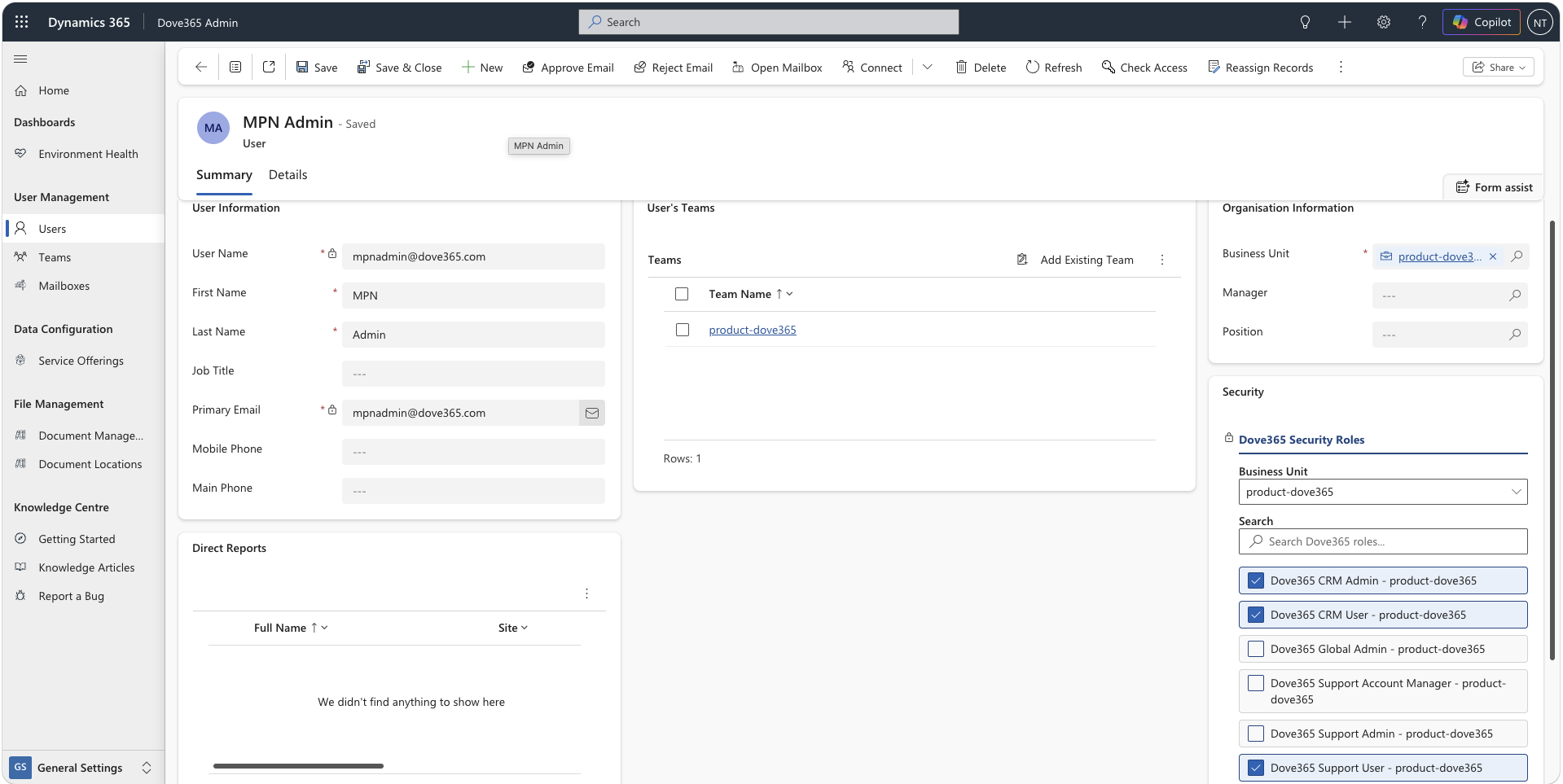
Assign roles deliberately
Start with the user’s responsibility
Decide whether the user is a support agent, account manager, or administrator before assigning access.
Use teams for groups
Where a team shares the same responsibility, assign roles to the team and manage membership over time.
Review after role changes
Ask users to refresh their session and confirm they can see the correct app areas, views, queues, and dashboards.
Remove access for leavers
Deactivate users or remove roles promptly when people leave the support function.
Access problems and checks
User cannot see Support
Confirm the user has a Support role and can access the model-driven app.
User cannot see a queue
Confirm queue membership, ownership, team access, and security role assignment. The work boards only load public queues, queues the user is a member of, and the default queue.
Assignment does not route
Confirm the target user has an active queue of their own, is a member of it, and appears in the Dove365 Users view.
User cannot maintain Managed Services
Confirm they have Support Account Manager or Support Admin access.