
Purpose
Accounts and Contacts provide the customer context for Dove365 Support. Accurate customer data improves triage, reporting, managed service tracking, and communication history.
Creating an Account
Users with the Dove365 Support Account Manager or Dove365 Support Admin role can create Accounts.
Steps:
- Open Accounts.
- Select New.
- Enter the customer organisation name.
- Add phone, email, website, and address details where available.
- Save the Account.
- Add Contacts and Managed Services as needed.
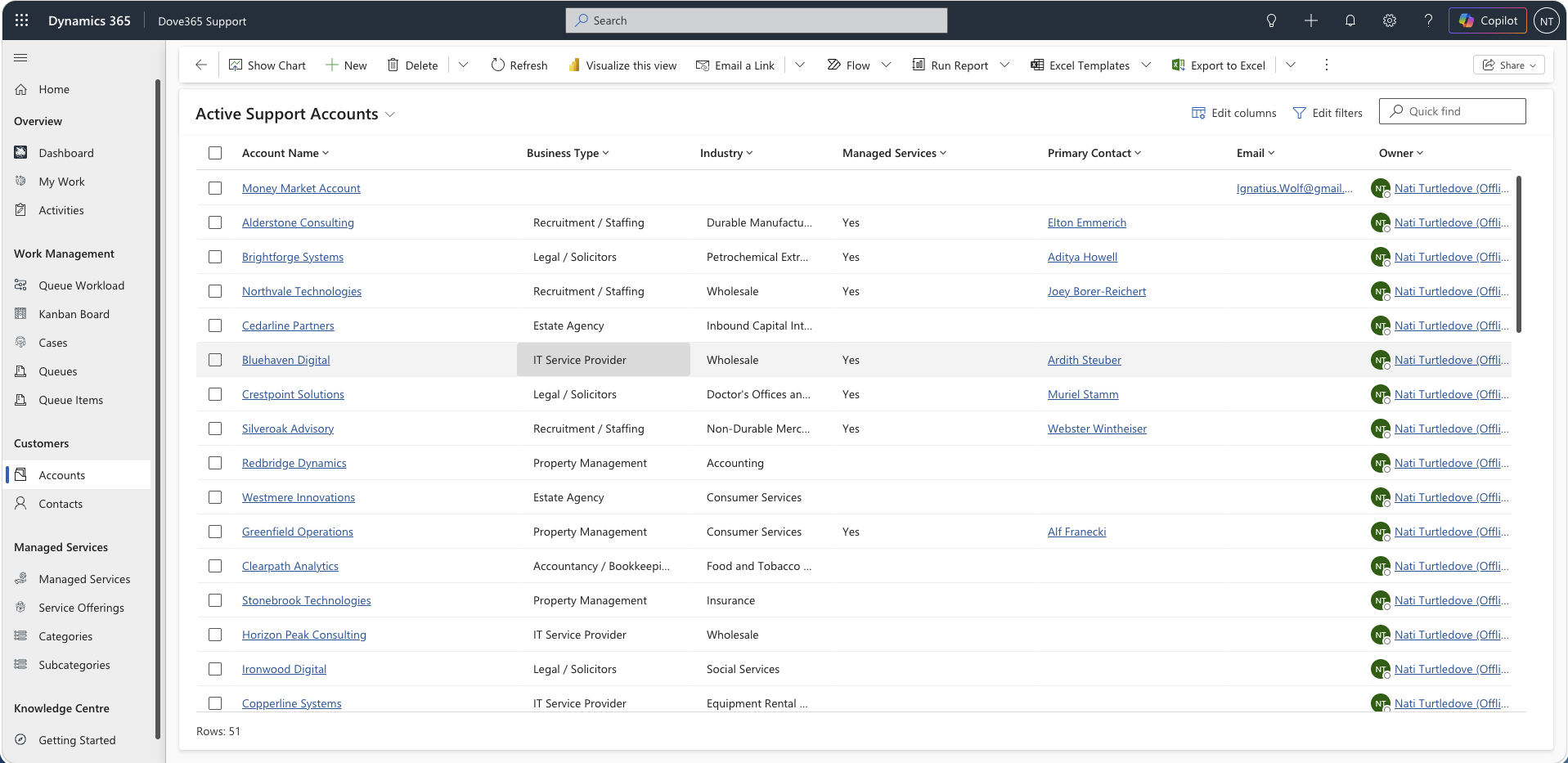
Managing an Account
Use the Account record to:
- Update customer details.
- Review related Contacts.
- Review related Cases.
- Review related Managed Services.
- Review activities and timeline history.
Good practice:
- Avoid duplicate Accounts.
- Keep primary address and contact details current.
- Use related records rather than free text where possible.
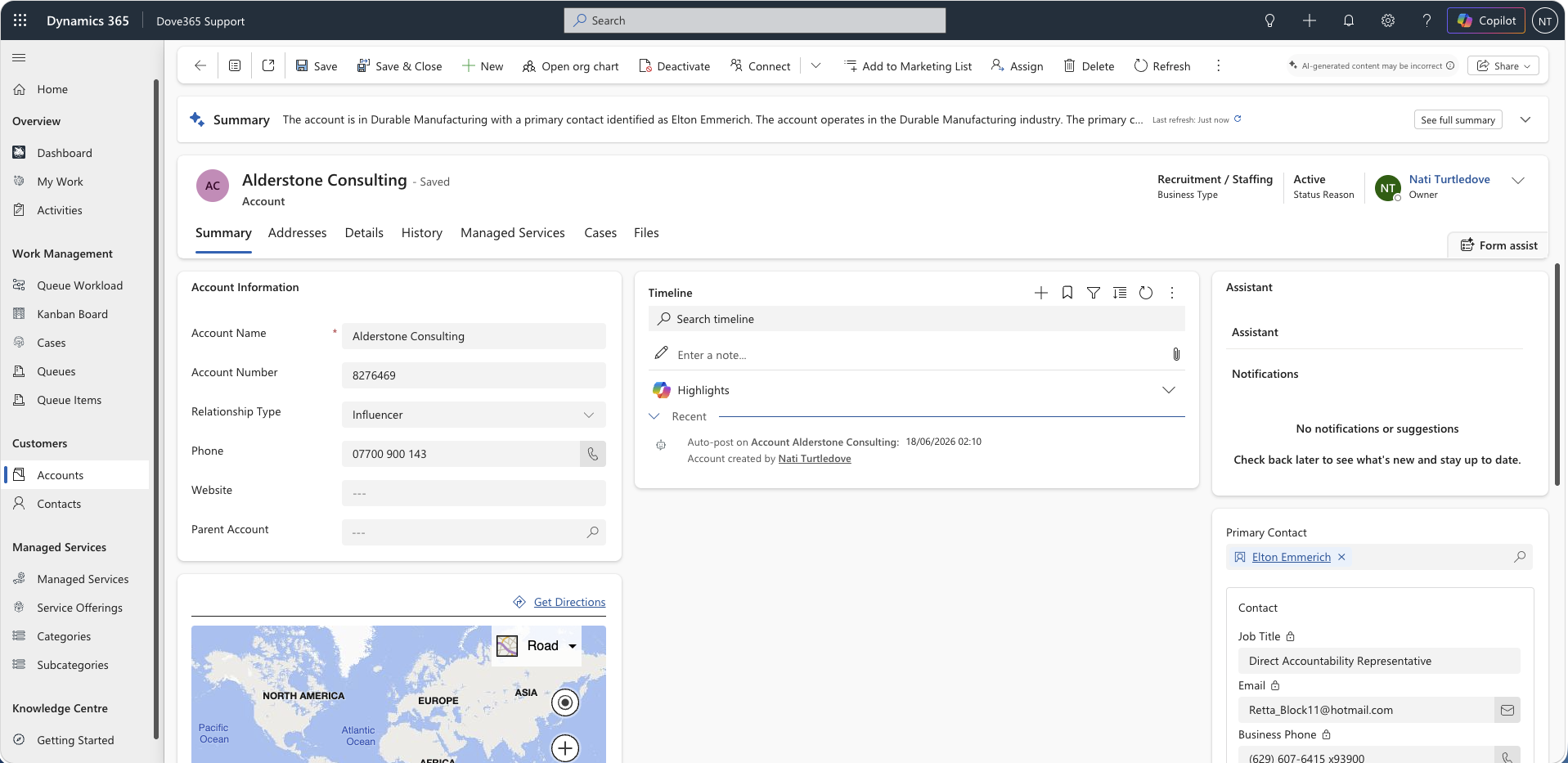
Creating a Contact
Users with the required role can create Contacts from the Contact area, from an Account, or from a Case lookup.
Steps:
- Open Contacts or open the related Account.
- Select New Contact.
- Enter name, email, phone, and job title where available.
- Link the Contact to the correct Account.
- Save the Contact.
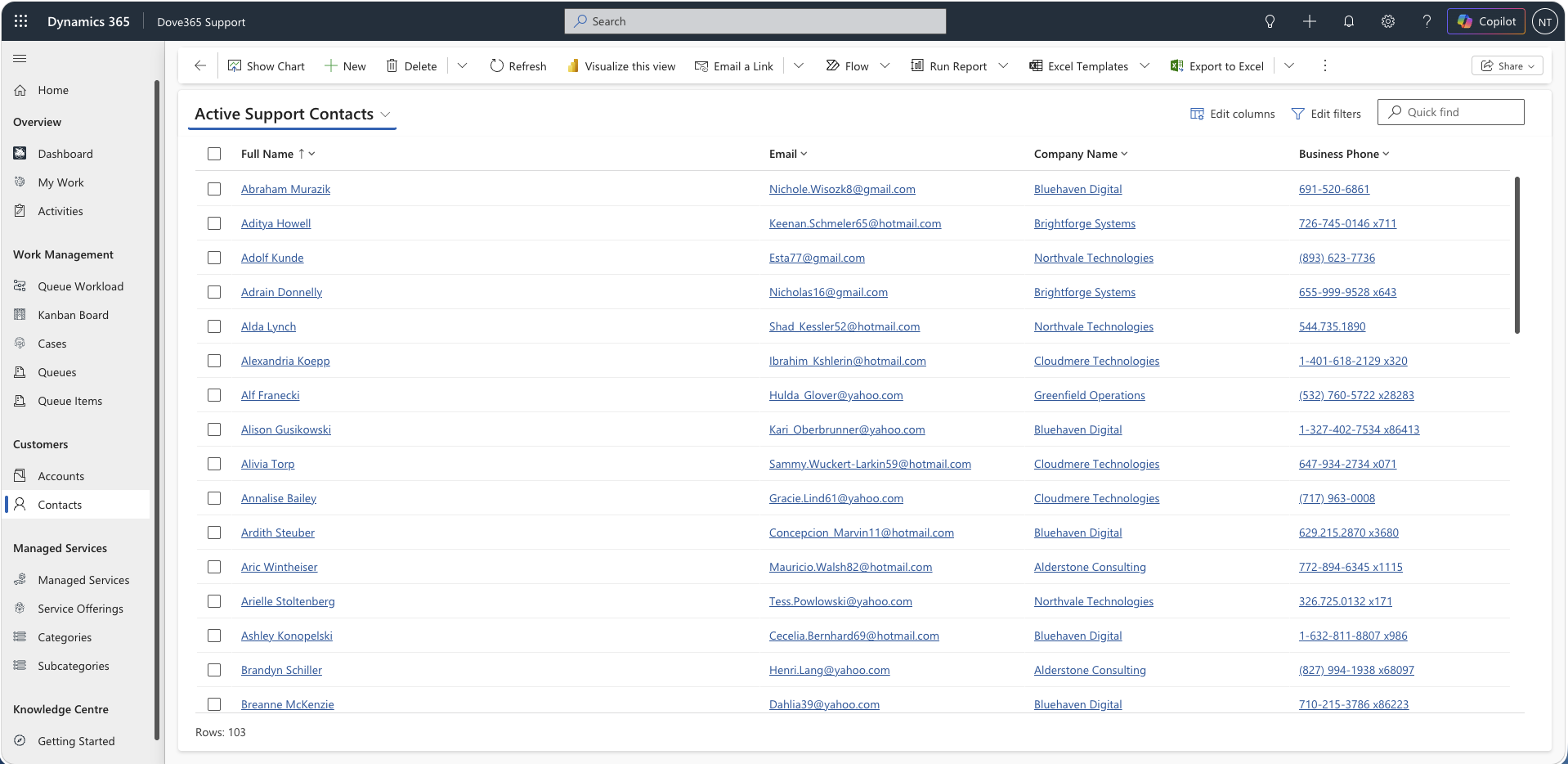
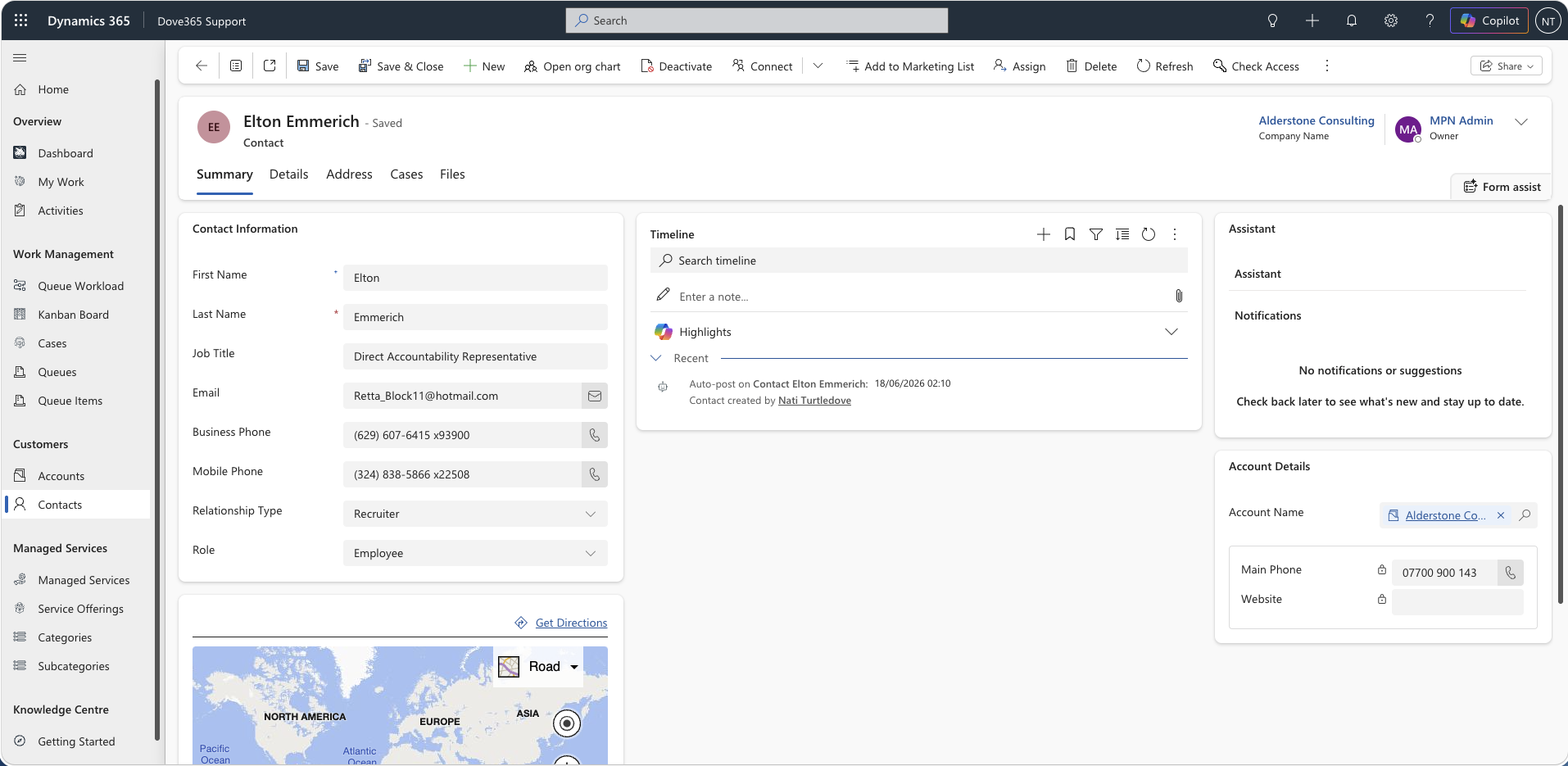
Managing a Contact
Use Contact records to:
- Store customer communication details.
- Track related support Cases.
- Track activities.
- Identify the correct person for updates and resolution notifications.
Activities
Activities can be tracked against Accounts and Contacts.
Use activities to record:
- Calls
- Emails
- Meetings
- Tasks
- Follow-ups
Activities related to Accounts and Contacts help provide a full customer support history.
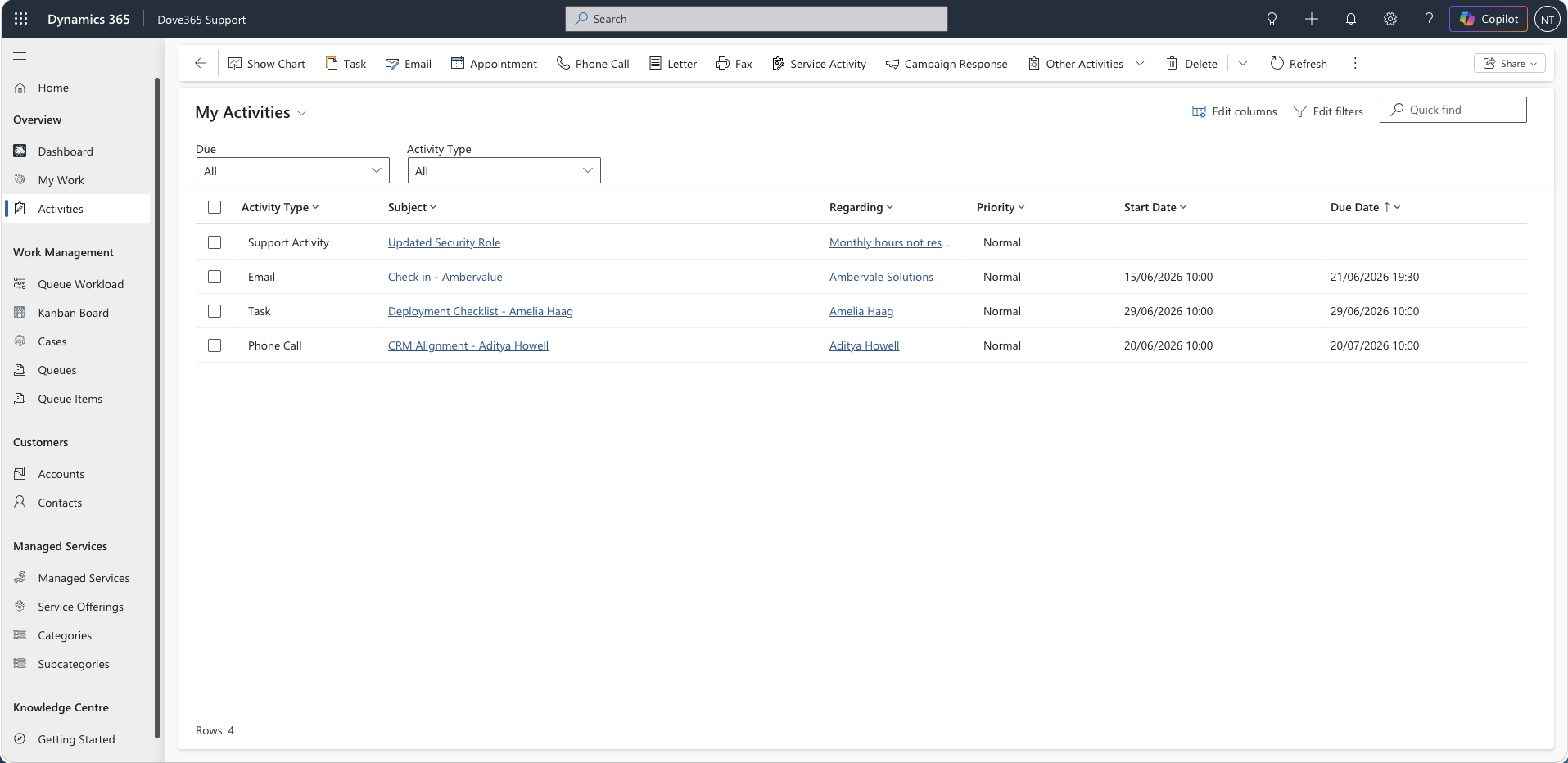
Managed Services from Accounts
Managed Services are linked to Accounts.
When reviewing an Account, check whether active Managed Services exist before creating or updating a Case that should consume allocated support hours.
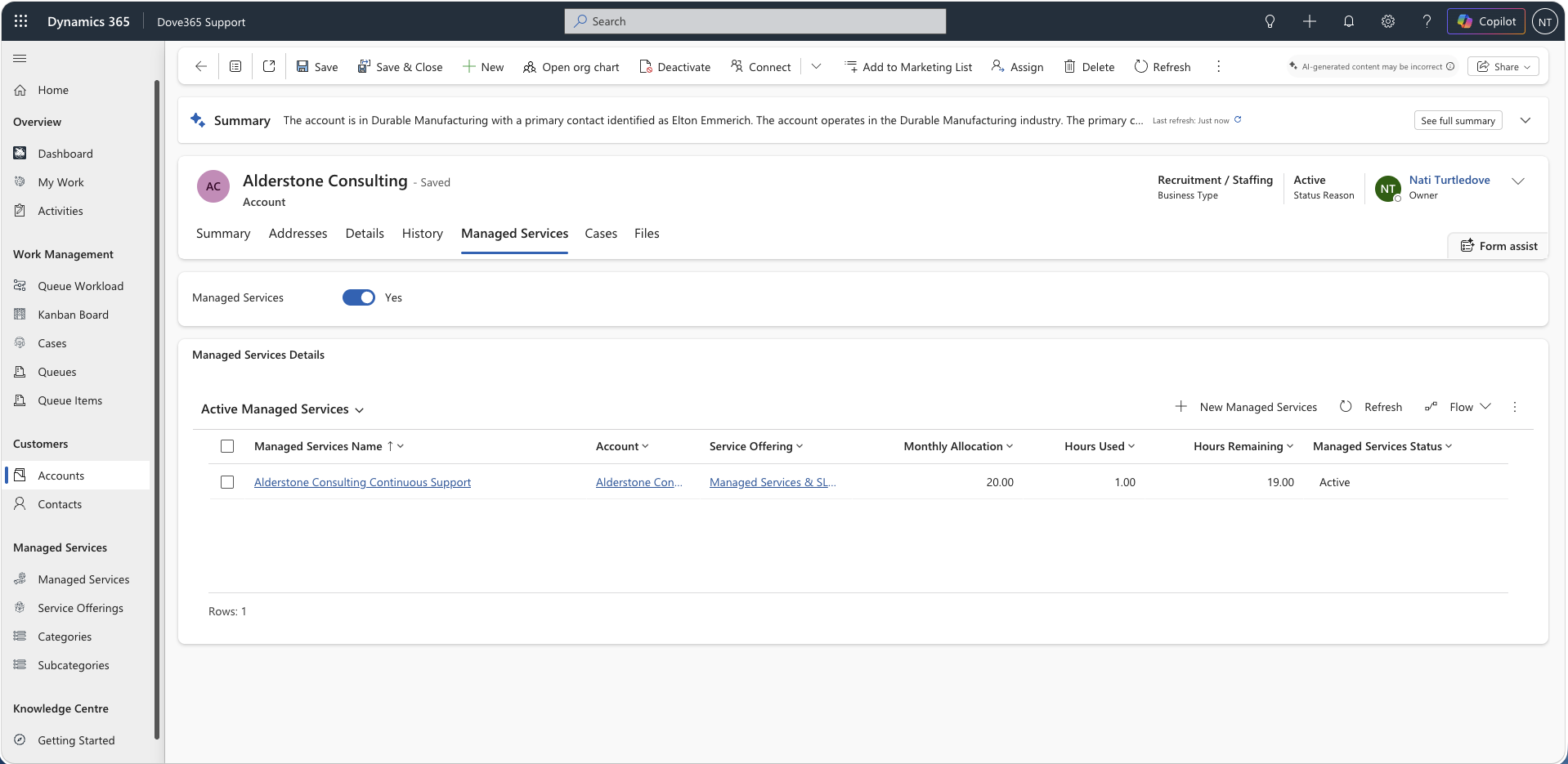
Field notes
- Account is important for reporting, Managed Services, and customer history.
- Contact is important for communication and Case ownership context.
- Missing Account or Contact can cause a Case to appear in dashboard exception lists.
Continue learning
Daily Support Workflow
Follow the sequence for dashboards, queues, cases, activities, and managed service checks.
Admin and Configuration
Open the related Dove365 Support guide for the next part of this workflow.
Dashboards
Open the related Dove365 Support guide for the next part of this workflow.